How crew opt in to texts
Gear Tech Systems (GTS) texts its crew about the shows they are booked on or asked to work, through CallSheet.One. This page shows exactly how someone opts in, so that anyone reviewing the program can see every step. The terms of the program are on the text message terms page; how numbers are handled is in the privacy policy.
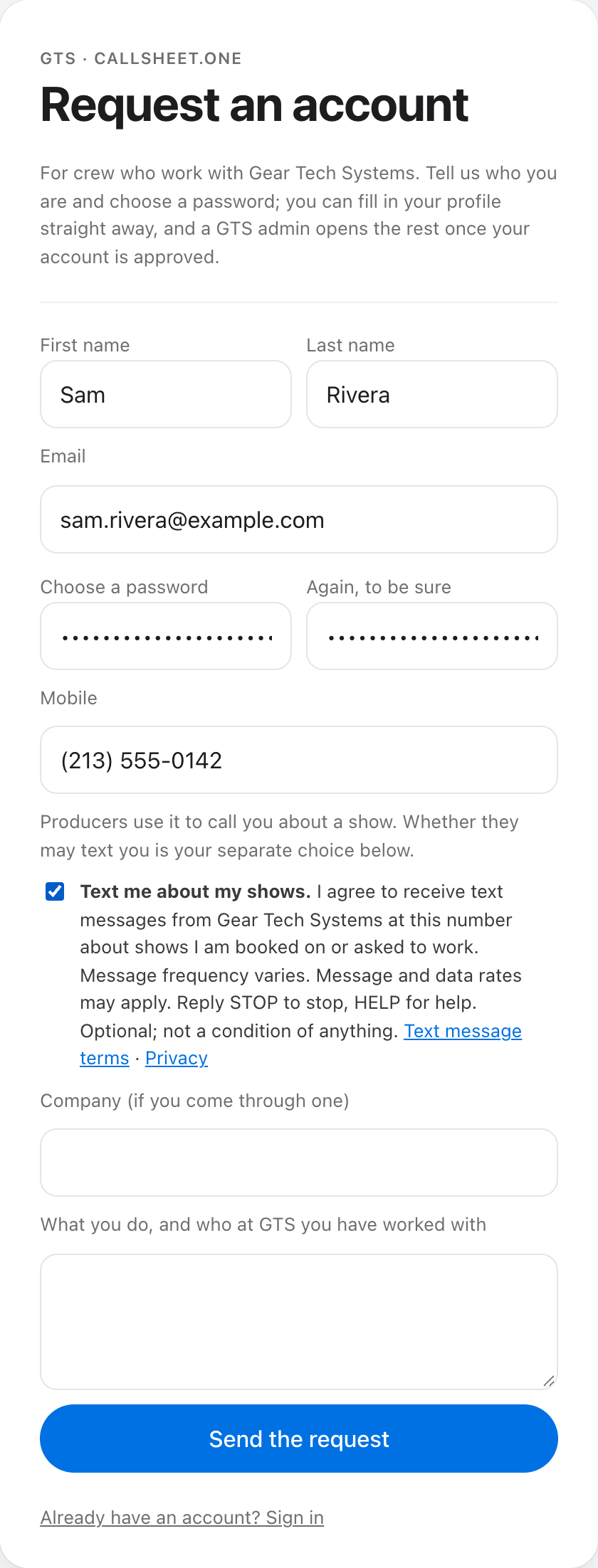
There are two ways in, and both are the same unticked box with the same words beside it, “Text me about my shows”: next to the Mobile field on the account request form, and in the Text messages card on the profile. Nobody is texted without ticking it. There is no keyword opt-in, no paper form, and no verbal opt-in: a producer cannot switch texting on for someone.
1. On the account request form
Someone new to GTS asks for a CallSheet.One account at callsheet.one/request-account. The form asks for their name, email, a password and their mobile number. Under the Mobile field sits the texting box, unticked, with the full disclosure beside it: what the messages are about, that frequency varies, that message and data rates may apply, STOP to stop, HELP for help, that it is optional, and links to the text message terms and the privacy policy.
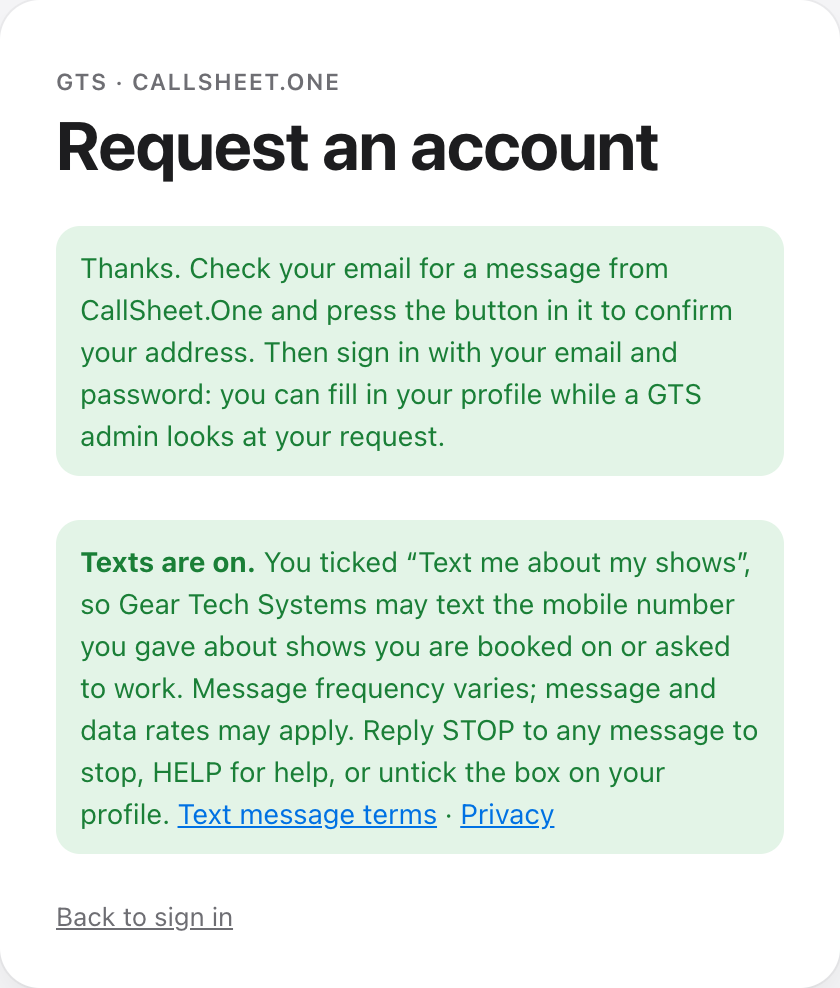
Pressing Send the request records the request and, when the box was ticked, stamps the date and time of the consent on the person’s record. The thank-you screen says so in plain words. (A new account also confirms its email address before it can sign in; that is a sign-in step, separate from the texting consent, which is already recorded.)
2. On the profile, for crew who already have an account
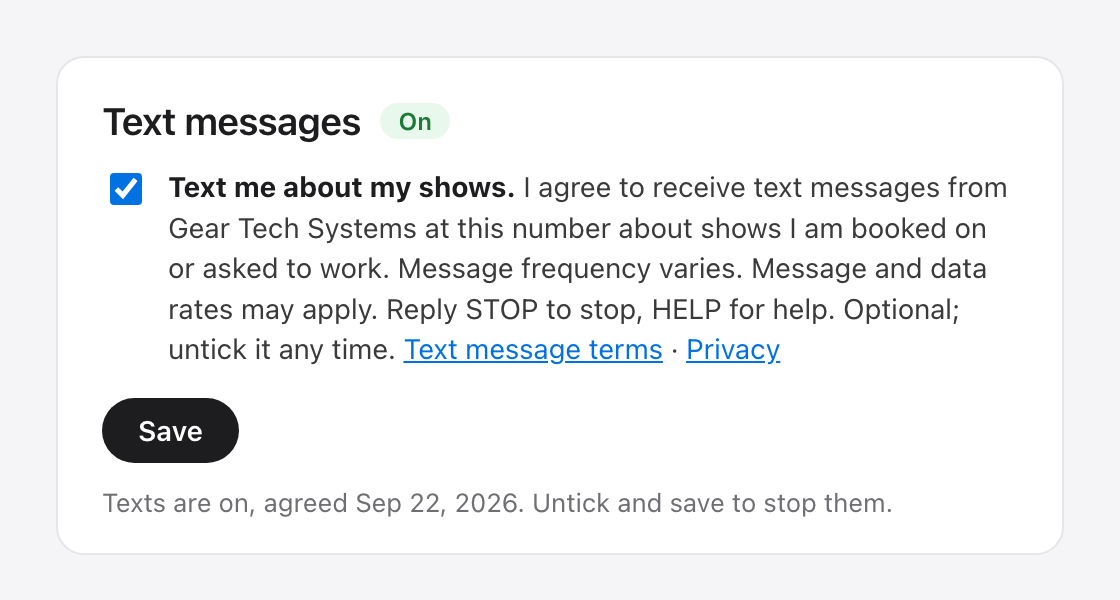
Existing crew sign in and open Me → Profile. The same box, with the same disclosure beside it, is in a Text messages card at the top of that page, unticked until they tick it; pressing Save under it records the consent with its date and time, and the card then reads “On” with that date. Unticking it and saving withdraws the consent. It is the only control that does so: saving anything else on the profile leaves it exactly as it was.
What happens after
Only people with a recorded consent can be texted; the app skips everyone else when a producer sends a message about a show. Every message carries the sender and STOP instructions. Replying STOP unsubscribes at once, with one confirming text and none after; HELP gets the support line; START or re-ticking the box opts back in.
Contact
Gear Tech Systems · jordan@geartechsystems.com · (714) 330-1650